Intel Arc A40 Review: A Budget-Friendly GPU for homelab
— 8 min read
ENTable of Contents
Recently I bought an Intel Arc A40 6GB for my homelab. Before buying I was trying to find any feedback about this card, and unfortunately found nothing other than a few comments on Reddit. So I decided to share my experience.
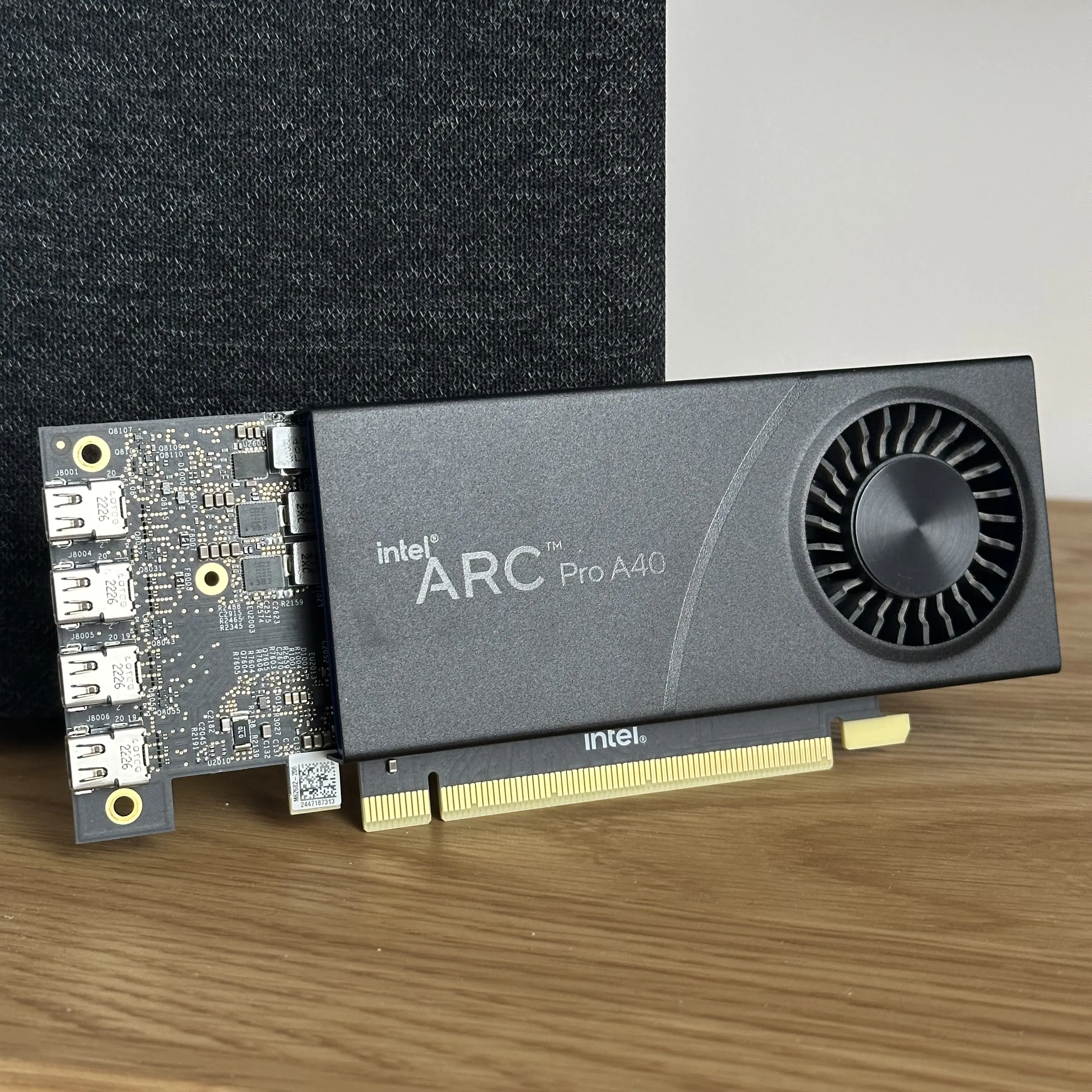
I have been looking for a small and cheap GPU for my homelab for a while. At first I was thinking about the NVIDIA A2000, but the price in my region is pretty high for the A2000. I have a big limitation since my homelab server can fit only a low-profile GPU. So when a few years ago I saw the Intel Arc A40, I knew — I needed this card. Before buying I was also looking at the Intel Arc B50 — but again, it has 2.5x the price of the A40, and the math doesn’t work out for me.
My use cases are quite simple:
- transcoding with Jellyfin
- small AI models for local usage
I know that for transcoding even a CPU will do, but there were a few movies that were pretty hard to transcode with an Intel Core i7-8700. Here I must note that my media server is hosted on Proxmox, where the CPU is shared across a lot of services.
As for LLMs, I’m using Gemma models for local translation and spell checking. I have no plans to host big models to compete with GPT/Claude/Gemini since it makes no sense from my point of view — it’s much simpler and even cheaper to use one of those providers. As a result, I need around 6–8 GB of VRAM. Tokens per second is not super critical for me since I have no plans to chat with these models.
Specification
The Arc Pro A40 is built on Intel’s first-gen Alchemist architecture, manufactured on a 6nm process. Under the hood there are 8 Xe cores with 1024 shaders and 128 XMX engines — those last ones are Intel’s matrix accelerators, useful for AI inference. Peak FP32 is around 3.5 TFLOPS, nothing impressive, but enough for transcoding and small LLMs.
Memory is 6 GB GDDR6 at 192 GB/s bandwidth. I was a bit worried about 6 GB at first, but for my use cases — Jellyfin transcoding and Gemma models — it turns out to be just right.
The biggest selling point for homelab use is power consumption. TDP is 50W on paper, and in real life I see around 30W under normal load. And what’s more important — no external power connector; everything comes from the PCIe slot. Single slot, low profile form factor means it fits basically anywhere.
For connectivity there are four Mini DisplayPort 2.0 outputs, each supporting up to 8K resolution — overkill for a homelab server, but nice to have.
On the media side, hardware encode and decode is supported for H.264, H.265, VP9, and AV1. AV1 hardware encoding is the main reason I was interested in this card for Jellyfin, since doing that in software on a shared Proxmox CPU is not a great idea.
First problem
My main server has an Intel i7-8700 inside a Gigabyte H310M S2H. At first everything looked fine — the card was detected and even transcoding worked. But the problem appeared when I tried to run the Ollama server.
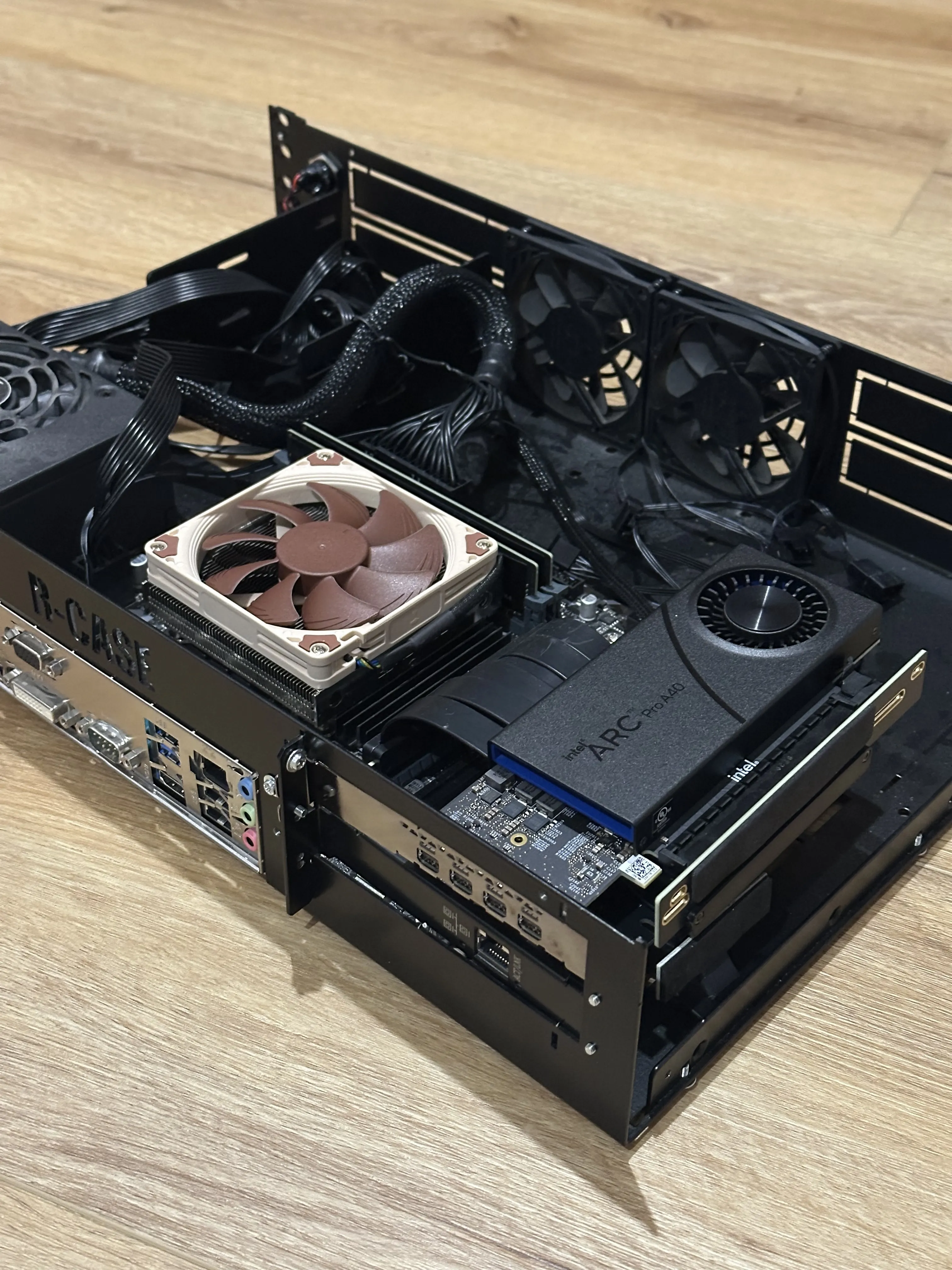
Before buying this GPU I read that it requires ReBAR (Resizable BAR — a PCIe feature that controls how the CPU talks to GPU memory) support from the motherboard. Unfortunately, my motherboard does not support ReBAR, so I needed to replace it with a newer one. I already had plans to move to a newer platform to see if it’s more efficient per watt than the 8th-gen, so I replaced my old platform with an Intel i5-14400F and Gigabyte B760M D3HP DDR4.
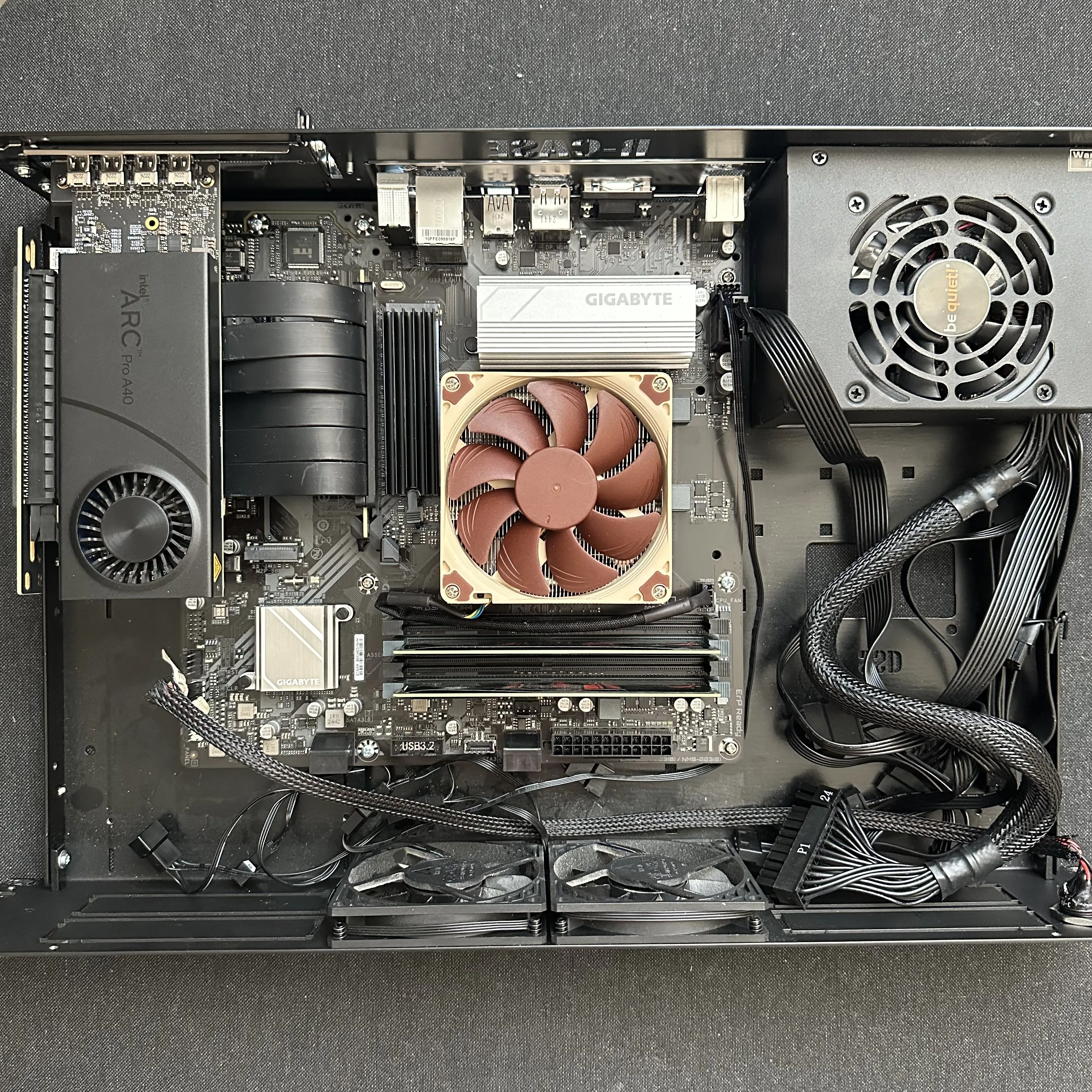
After moving the system to the new platform, the Ollama server started working out of the box. So if you plan to use this GPU with Ollama, keep that in mind.
My test rig has the following specification:
- Intel i5-14400F
- Gigabyte B760M D3HP DDR4
- Intel Arc A40 6GB
- 2×8 GB DDR4
- 250 GB NVMe
Running AI
Before buying the A40 I read all possible articles and discussions about running AI on Intel GPUs. I use Ollama to run all LLMs. It was important for me to have this specific option since I don’t have time and don’t want to deal with other options. Fortunately there is (was?) a project — Intel® LLM Library — developed by Intel themselves. Unfortunately this project was archived a few months ago, and I suppose support for new models will worsen over time. Maybe in the future the good option will be to use Vulkan instead of ipex-llm. It’s still very unfortunate that there will be no updates to this library.
There is also a great repository — ollama-intel-arc. It contains Docker Compose files for multiple options to run AI models on Intel GPUs:
- Ollama
- StableDiffusion
- Whisper
- Open WebUI
This repository allows you to run almost every available model — not just LLMs but also audio or image processing/generation.
To start the OpenWebUI you just need to run the following commands:
git clone https://github.com/eleiton/ollama-intel-arc.git
cd ollama-intel-arc
docker compose up -d
This command will run 2 containers:
- Ollama with ipex-llm
- OpenWebUI
I run all of this inside Proxmox and I need to pass through the GPU to the LXC container. This can be done by adding the following line to the LXC configuration:
dev1: /dev/dri/renderD128,gid=104,uid=0
You also need to ensure that your user inside the LXC has access to group id 104.
AI performance
I’m mostly interested in LLMs, since my use case is small models that I can use for local text translation, document embeddings, and spell checking. I downloaded the newest and best models that fit in 6 GB:
- phi3:mini
- llama3.1:8b
- mistral:7b
- qwen2.5:7b-instruct-q4_K_M
- gemma3:4b
You can find the script I used for benchmarking here.
And here are the results:
| Model | short tok/s | reason tok/s | code tok/s | long tok/s | avg tok/s | verbosity note |
|---|---|---|---|---|---|---|
| phi3:mini | 19.0 | 17.4 | 16.5 | 17.0 | 17.5 | chatty — 176 tokens for a short answer |
| gemma3:4b | 12.3 | 12.1 | 13.4 | 13.1 | 12.7 | very verbose — 1451 tokens on long |
| mistral:7b | 9.8 | 9.6 | 9.7 | 9.5 | 9.65 | most consistent across prompts |
| qwen2.5:7b-instruct-q4_K_M | 6.7 | 9.3 | 9.4 | 9.4 | 8.7 | concise — fastest wall-clock on short (0.69s) |
| llama3.1:8b | 6.0 | 7.0 | 7.4 | 7.1 | 6.9 | slowest — investigate backend |
phi3:mini is the best choice if raw speed matters — 17.5 tok/s average, though it tends to over-explain simple answers.gemma3:4b sits in the middle at 12.7 tok/s but generates far more tokens than any other model, making actual wait times longer than the number suggests.mistral:7b is the most predictable — nearly flat 9.5–9.8 tok/s regardless of task, good for consistent workloads.qwen2.5:7b-instruct is the most efficient 7B option — concise answers and the fastest wall-clock time on short prompts at 0.69s.llama3.1:8b trails the group at 6.9 tok/s despite being the same weight class as Mistral and Qwen, which likely points to a backend or quantization mismatch rather than a fair comparison.
For most local AI use cases on the Arc A40, qwen2.5 or mistral are the practical sweet spot — good speed, sensible output length, and solid instruction following. phi3:mini is worth keeping for latency-sensitive tasks where response quality is secondary.
PS: I’m not an AI researcher or anything, so these tests may not be very rigorous. But I think they give a good idea of which models can be used on this GPU and what results to expect.
Power consumption
This was the most important factor for me. Since the GPU is installed in a homelab it will be running 24/7, and the difference between 30W and 60W would double the electricity bill. That’s quite important since energy prices are pretty high in my country right now.
At the start, unfortunately there is no way to put the GPU into some kind of deep sleep mode when it has no load. Worth noting that I have no monitor connected to this GPU.
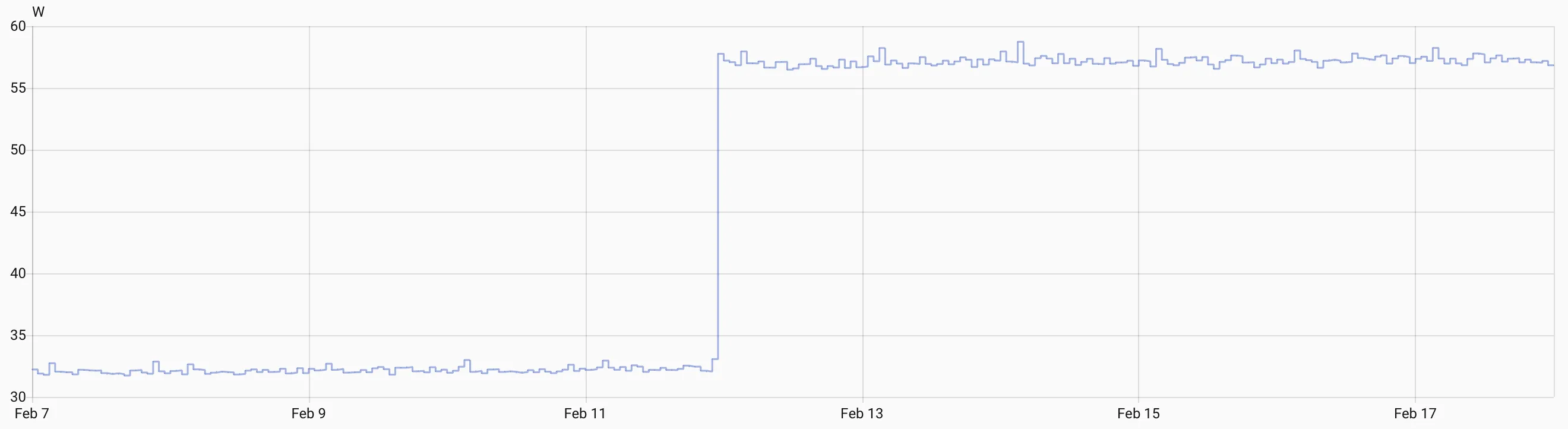
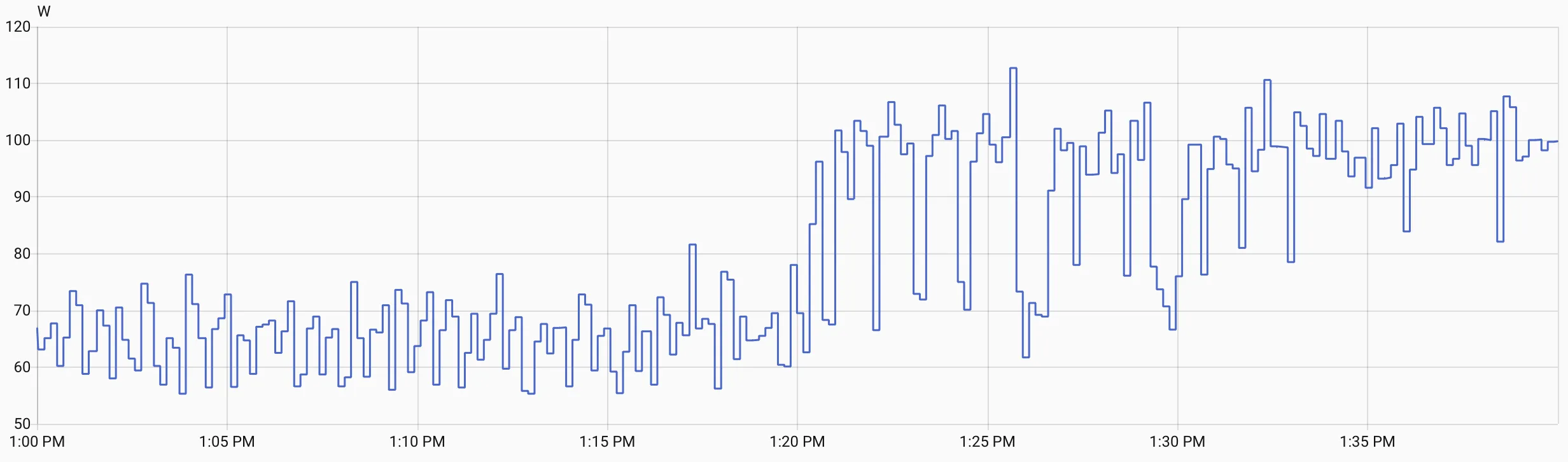
After a few months of having this GPU I can say that it adds around 25–30W to the system. Under heavy load the power consumption jumps to ~50W. But I don’t really care about how much it draws under heavy load since 90% of the time it sits idle. The much more important number for me is idle power consumption.
My main homelab server has a power meter connected to it (an IKEA smart plug with a power meter) and it allows me to monitor the power usage and control the power of this server if needed. You can see the power usage of the system first without the GPU, and after the GPU was added:
And this is the power consumption when using AI:
Verdict
I would like to summarize it like this: if you want a small card without external power capable of running small LLMs and video transcoding, the Intel Arc A40 is a good choice. If size, power, and budget are not a problem, I would look at an RTX 3060 12 GB or RTX 5060 Ti with 16 GB, or RTX 3050 6GB low profile if you want to stay in the low-profile form factor. It’s certainly not the best GPU, but it’s the best if you are limited in power or space.
In summary:
- super compact
- transcoding works very well
- can easily handle 4B–7B LLMs
- power consumption is acceptable
I have no plans to sell this GPU. I will surely replace it with something more performant over time, but this GPU is perfect to keep around in case you need to drop it into some machine for testing, since it doesn’t require external power and is super small.